TL;DR
Unmanaged industrial switches are plug-and-play devices for simple networks under 10 nodes with no segmentation or monitoring requirements. Managed switches provide VLAN segmentation, redundancy protocols, SNMP monitoring, port security, and QoS — essential for production-critical networks, cybersecurity compliance, and environments requiring remote diagnostics. This guide provides a decision framework for choosing the right type.
The Fundamental Difference
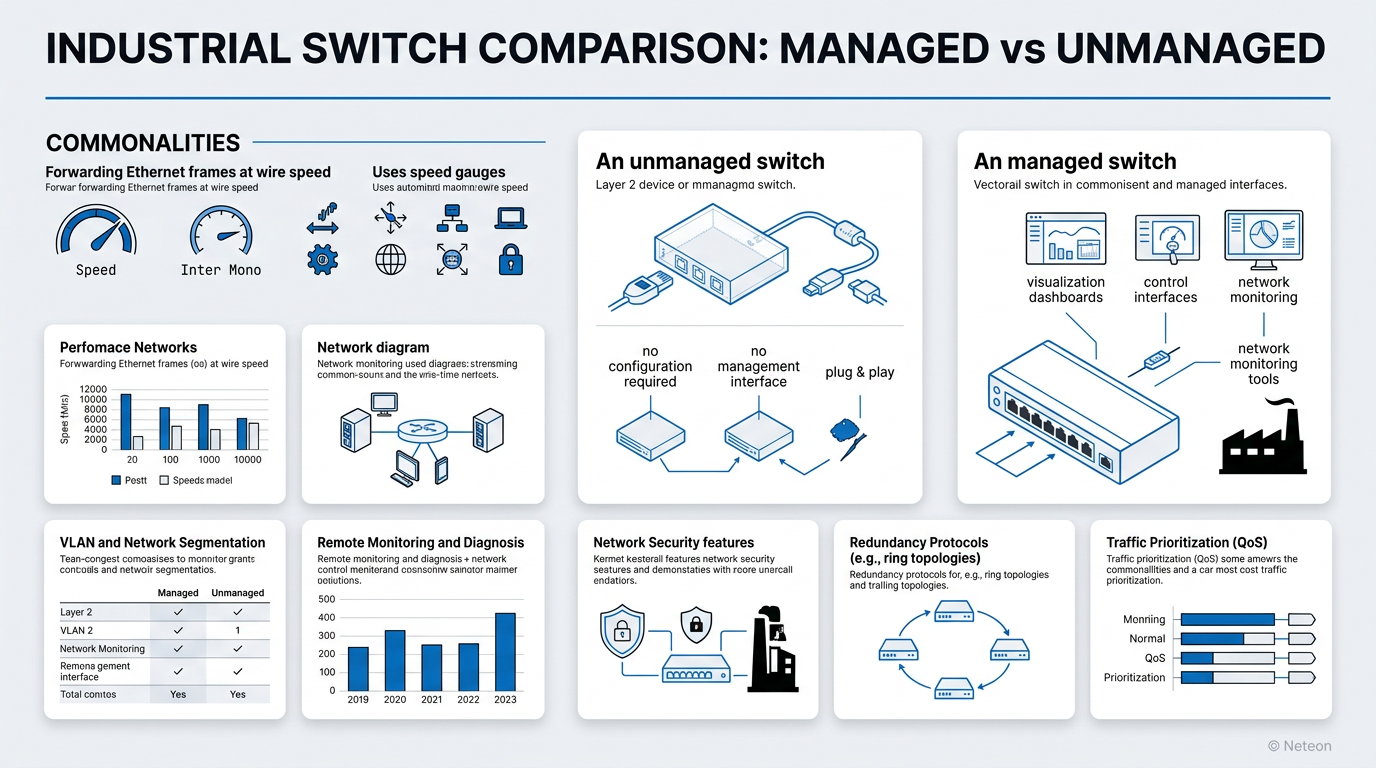
Both managed and unmanaged industrial switches forward Ethernet frames at wire speed. The difference is control and visibility.
An unmanaged switch is a transparent Layer 2 device: plug in cables, and it works. No configuration, no management interface, no monitoring. It is the industrial equivalent of a consumer Ethernet switch — ruggedized for temperature and vibration but with zero management capabilities.
A managed switch provides full control over network behavior: VLANs for segmentation, quality of service (QoS) for traffic prioritization, redundancy protocols for failover, SNMP for monitoring, and port security for access control. It is a configurable network infrastructure device.
| Capability | Unmanaged | Managed |
|---|---|---|
| Setup | Plug-and-play, zero config | Web UI, CLI, SNMP configuration |
| VLANs | No | IEEE 802.1Q, up to 256+ VLANs |
| Redundancy | No | Turbo Ring (<20ms), RSTP, MRP |
| Monitoring | LED indicators only | SNMP, LLDP, port statistics, MXview |
| Security | None | 802.1X, MAC filtering, ACLs, HTTPS |
| QoS | None | 802.1p priority queuing, DSCP |
| Port Mirroring | No | Yes (for troubleshooting/IDS) |
| Firmware Updates | No | Yes (security patches, features) |
| Remote Access | No | Web, SSH, Telnet, SNMP |
| Typical Cost/Port | $30-80 | $80-300+ |
When to Choose Unmanaged Switches
Unmanaged switches make sense in specific scenarios:
Small, isolated segments — A standalone machine cell with 3-5 devices (PLC, HMI, I/O, sensor) that operates independently and does not connect to the broader plant network.
Budget-constrained, non-critical monitoring — Environmental sensors, non-safety cameras, or building automation sensors where occasional data loss is acceptable.
Temporary installations — Construction site monitoring, commissioning-phase connectivity, or proof-of-concept deployments.
The Moxa EDS-2000 Series unmanaged switches provide industrial-grade reliability (-40°C to 75°C, DIN-rail mount, dual power) without management complexity.
When to Choose Managed Switches
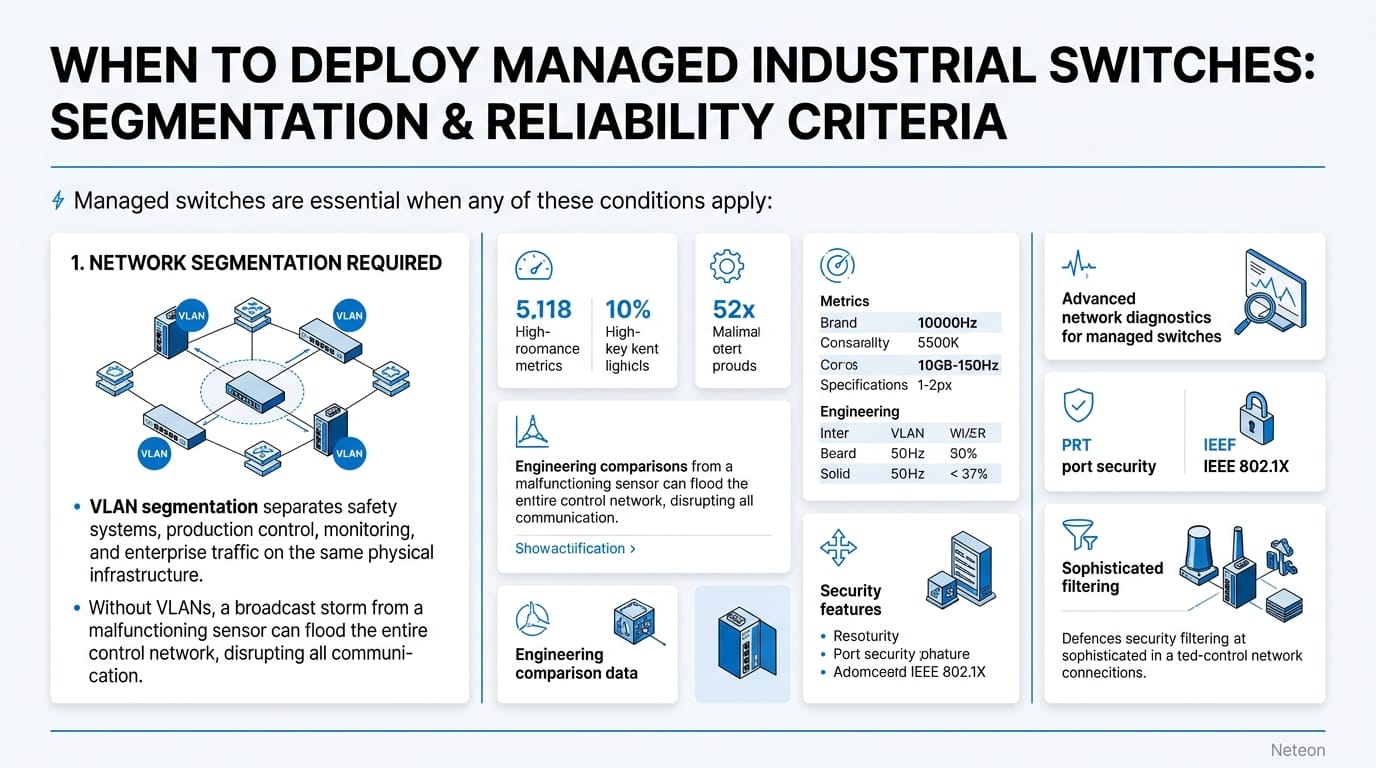
Managed switches are essential when any of these conditions apply:
1. Network Segmentation Required VLAN segmentation separates safety systems, production control, monitoring, and enterprise traffic on the same physical infrastructure. Without VLANs, a broadcast storm from a malfunctioning sensor can disrupt the entire network — including safety-critical communication.
2. Uptime SLA Requires Redundancy If your application requires >99.99% availability, you need ring redundancy. Turbo Ring provides <20ms failover — over 1,000x faster than the 30-50 seconds of STP that unmanaged switches rely on by default.
| Redundancy | Recovery Time | Availability |
|---|---|---|
| None (unmanaged) | Manual recovery | ~99.5% |
| RSTP | 1-30 seconds | ~99.95% |
| Turbo Ring | <20ms | ~99.999% |
| PRP (seamless) | 0ms | 99.9999% |
3. Cybersecurity Compliance IEC 62443 and NERC CIP both require network segmentation, access control, and audit logging — capabilities that only managed switches provide. An unmanaged switch cannot enforce port security, log access attempts, or restrict traffic between zones.
4. Remote Monitoring and Diagnostics When a link fails at 2 AM, SNMP traps and MXview One dashboards tell your on-call engineer exactly which port went down. With an unmanaged switch, someone drives to the site and looks at LEDs.
5. More Than 10 Devices Networks above 10 nodes benefit from loop prevention (STP/RSTP), broadcast control (IGMP snooping), and traffic management (QoS) that only managed switches provide.
Feature Deep Dive: What Managed Switches Add
VLAN Segmentation (IEEE 802.1Q): Separate broadcast domains on a single physical switch. Critical for IEC 62443 zone-and-conduit architecture.
Redundancy Protocols: Turbo Ring, Turbo Chain, RSTP, MRP — automatic path recovery without manual intervention. Moxa EDS-4000/G4000 Series managed switches support all major industrial redundancy protocols.
SNMP Monitoring: SNMPv3 (encrypted) provides port status, traffic statistics, error counters, temperature, and power status to network management systems. Integration with MXview One enables topology visualization and proactive fault detection.
Port Security: 802.1X authentication, MAC address filtering, and ACLs control which devices can connect to each port. Essential for preventing unauthorized device connections.
QoS (Quality of Service): Prioritize time-critical traffic (PLC communication, safety protocols) over non-critical data (monitoring, logging). IEEE 802.1p provides 8 priority levels.
Cost-Benefit Analysis
| Factor | Unmanaged | Managed | Managed Advantage |
|---|---|---|---|
| Hardware Cost | $150 (5-port) | $400 (5-port) | — |
| Downtime Cost (1 hour) | $10,000-50,000 | Prevented | $10K-50K saved per incident |
| Troubleshooting Time | 4-8 hours (on-site) | 15 min (remote) | Hours saved per event |
| Compliance Cost | Cannot comply | Built-in | Audit-ready |
| 5-Year TCO | Higher (downtime) | Lower (prevention) | 30-60% lower TCO |
Cybersecurity & Reliability
| Security Feature | Unmanaged | Managed |
|---|---|---|
| Access Control | None | 802.1X, MAC filter, ACL |
| Encryption | None | SNMPv3, HTTPS, SSH |
| Audit Logging | None | Syslog, SNMP traps |
| Firmware Security | No updates | Signed updates, secure boot |
| IEC 62443 | Cannot comply | SL1-SL3 compliant models |
Related Products
Product cards auto-generated by shopmoxa_scraper.py
Conclusion
For any network segment that is production-critical, requires cybersecurity compliance, or connects more than 10 devices, managed industrial switches are the correct engineering choice. The incremental hardware cost is trivial compared to the downtime, troubleshooting, and compliance costs that unmanaged switches incur. Explore Moxa managed switches or contact Neteon for network design assistance.
Frequently Asked Questions
Q: Can I mix managed and unmanaged switches in the same network? A: Yes. A common architecture uses managed switches as backbone/aggregation layer with unmanaged switches at the edge for small machine cells. The managed backbone provides segmentation, redundancy, and monitoring for the overall network.
Q: Do managed switches require a network engineer to configure? A: Modern industrial managed switches offer web-based GUIs with configuration wizards. Basic VLAN and redundancy setup takes 30-60 minutes. Advanced features (ACLs, QoS policies, RADIUS integration) may require networking expertise.
Q: What is MXview One? A: MXview One is Moxa's industrial network management platform. It auto-discovers Moxa devices, visualizes network topology, monitors health metrics via SNMP, and provides proactive fault alerts. It integrates with managed switches for centralized configuration and monitoring.
Q: Is Turbo Ring compatible with other vendors' switches? A: Turbo Ring is Moxa's proprietary protocol and requires Moxa managed switches at all ring nodes. For multi-vendor environments, use standard RSTP or MRP (IEC 62439-2). Moxa switches support both proprietary and standard protocols.
Q: How do I determine the right number of managed switch ports? A: Count all connected devices per cabinet/area, add 20-30% for expansion, and consider uplink ports for backbone connectivity. For industrial applications, 8-port and 16-port managed switches are the most common form factors.